

Document Tests
Cable’s Automated Testing tests your customer and transaction data against the controls in each framework. Some requirements cannot be evidenced that way. A board-approved BSA/AML program either exists as a document or it does not, and no amount of account data will show it.
Document Tests cover that half of your framework. A document test is satisfied by a document rather than by data, and sits against the same controls and frameworks as your automated tests. You can create your own document tests in Cable, or enable the BSA/AML library with support.
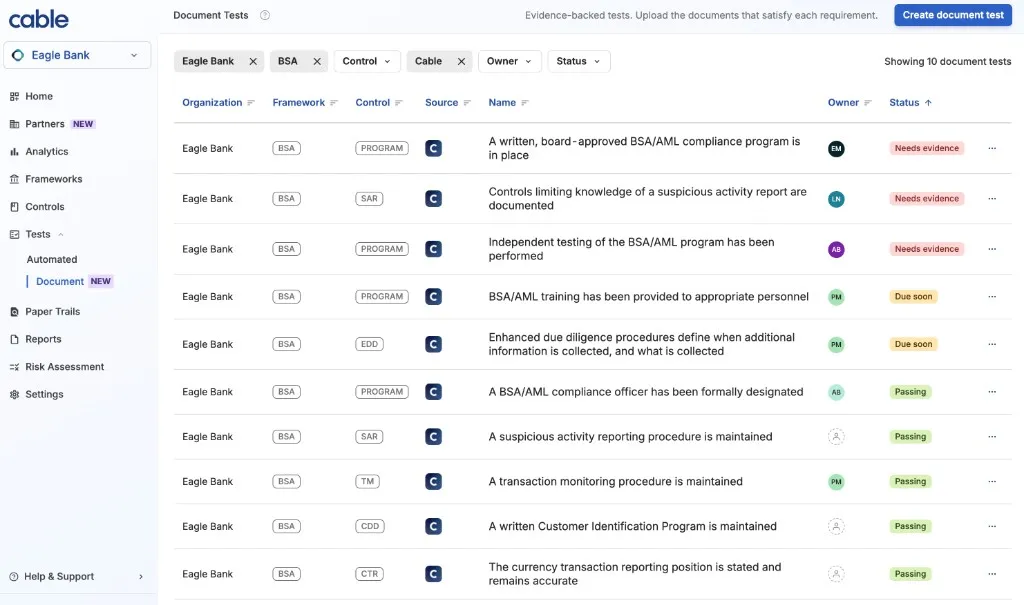
How a Document Test Works
Each document test states two things: the requirement it checks, and what your evidence needs to show. You upload a document against the test, and the test’s status follows from the evidence on file and its renewal date.
Because status is derived from the renewal date, a document coming up for review surfaces on its own. You do not need to track renewals separately.
Renewing early is never penalized. As soon as you upload a document that renews more than 30 days out, the test reads passing again, rather than staying in due soon until the older document reaches its own renewal date.
Renewal Cadence
Cadence is set on the test and determines when its evidence needs renewing. Most policies and procedures renew annually.
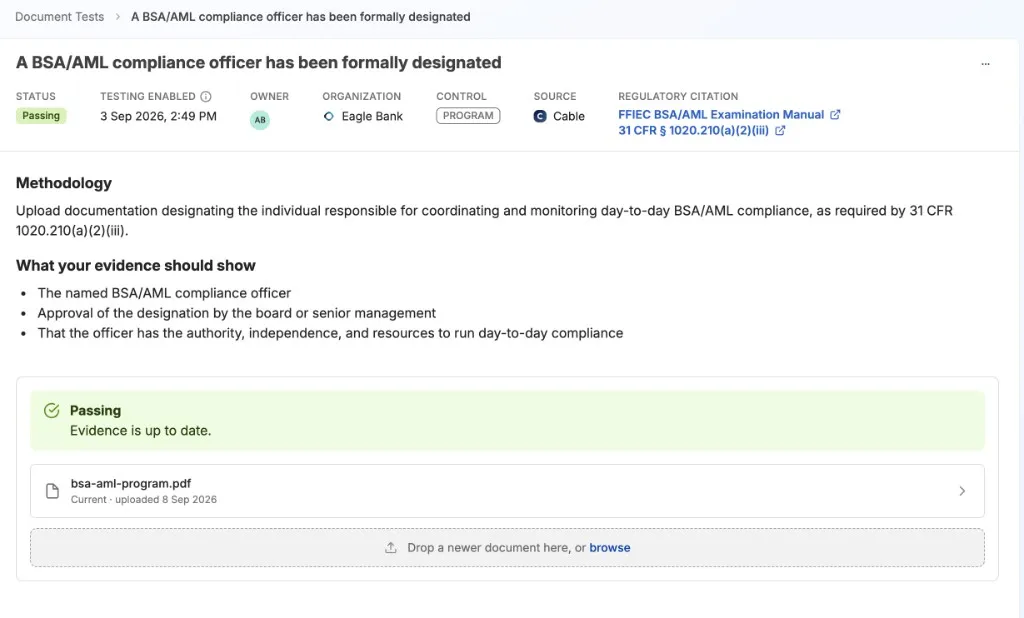
A test can also have no cadence, in which case its evidence has no renewal date and the test stays passing on that evidence indefinitely. The designation of a BSA/AML compliance officer works this way, because the designation stands until you change it.
Evidence Is Permanent
Submitted evidence is never overwritten or deleted. Uploading a renewal does not replace the document it renews. Both stay attached to the test, with the name of whoever uploaded them and the date they did.
This matters at examination time. Showing that a policy is current today is a different question from showing it was current throughout the period under review, and the second is only answerable if the history survives.
The BSA/AML Document Test Library
Cable provides ten document tests covering the BSA/AML program pillars and the procedures beneath them. Each cites the paragraph of 31 CFR it answers to and links to the FFIEC BSA/AML Examination Manual.
Program pillars
- A written, board-approved BSA/AML compliance program is in place
- A BSA/AML compliance officer has been formally designated
- Independent testing of the BSA/AML program has been performed
- BSA/AML training has been provided to appropriate personnel
Procedures
- A written Customer Identification Program is maintained
- Enhanced due diligence procedures define when additional information is collected, and what is collected
- A transaction monitoring procedure is maintained
- A suspicious activity reporting procedure is maintained
- Controls limiting knowledge of a suspicious activity report are documented
- The currency transaction reporting position is stated and remains accurate
Nine of the ten renew annually. The compliance officer designation carries no renewal date, because the designation stands until you change it.
Every test opens with a methodology and a list of the specific points your evidence should show. Read that list before uploading and check that your document covers it. The list is the requirement the upload is measured against.
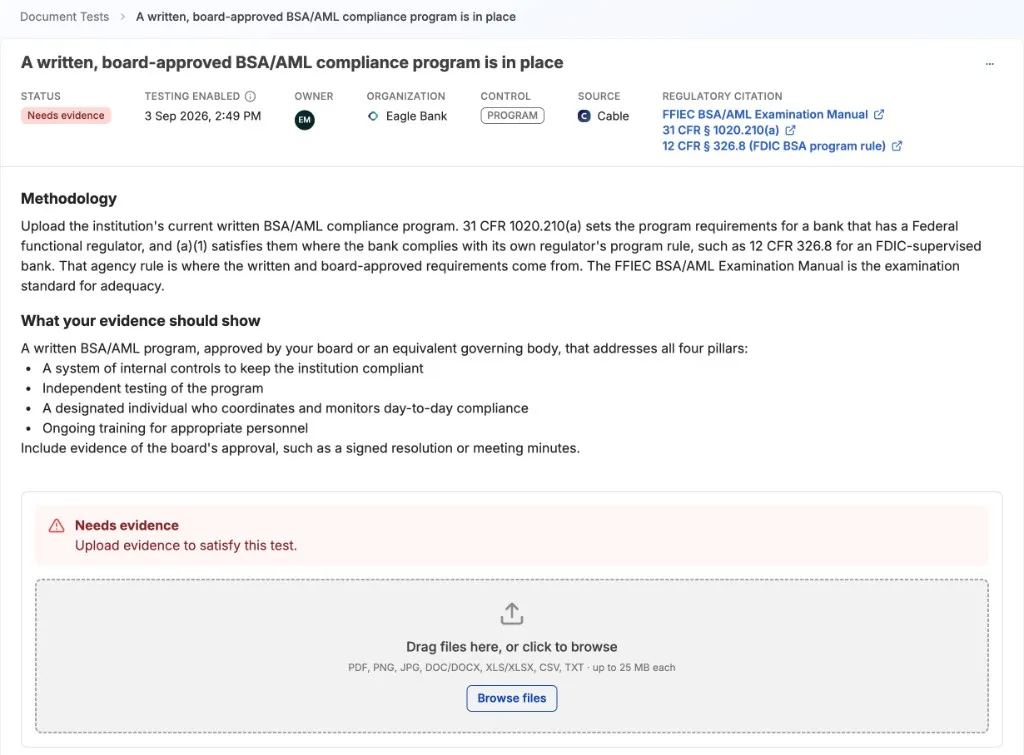
To enable the BSA document tests for your organization, contact Synctera support.
Uploading Evidence
- Go to Tests → Document and open the test.
- Read the methodology and the list of what your evidence should show.
- Choose your document. It is staged, not submitted, so you can remove it before confirming.
- Confirm the upload. Cable asks you to confirm because submitted evidence cannot be deleted.
The confirmation step also offers an expiry date. Leave it blank and the evidence takes its renewal date from the test’s cadence, or carries none if the test has no cadence. Set it when the document itself carries a date that differs from the cadence, such as a policy approved months before you upload it.
Accepted formats are PDF, Word (.doc, .docx), Excel (.xls, .xlsx), CSV, plain text, and images (.png, .jpg, .jpeg). The maximum file size is 25 MB.
Most formats open in Cable without downloading: PDFs, images, and text render in the page, and spreadsheets and CSVs are shown as a table. Word documents are the exception and must be downloaded to read.
Assigning an Owner
Any document test can be assigned to a named person. The owner is notified in Cable and by email.
Their home page shows the tests that need something doing: those in Needs evidence or Due soon, with their own first. A test that is passing does not appear there, the same way a closed Paper Trail does not. The home page is a work queue rather than a list of everything you own.
Assigning a test to yourself notifies no one, on the grounds that you already know.
Owners can be reassigned at any time, and only users with access to the test can be made its owner.
Creating Your Own Document Tests
Where an obligation is not covered by the library, create your own document test rather than tracking it in a spreadsheet.
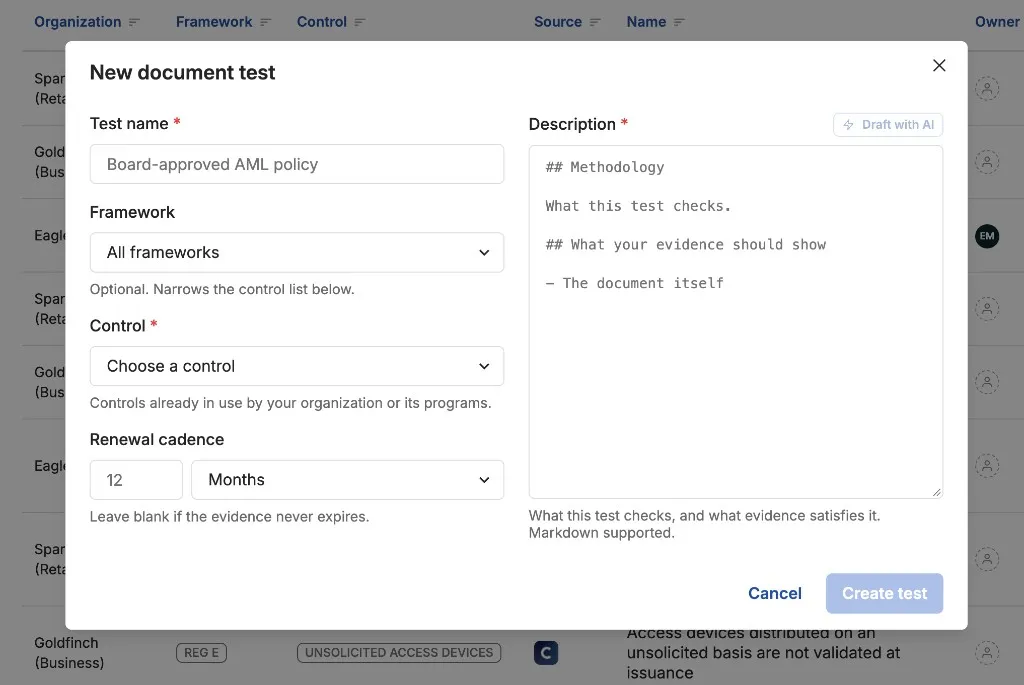
- Go to Tests → Document and choose Create document test.
- Give it a name that states the requirement, for example “A written complaints handling procedure is maintained”.
- Choose the framework, then the control within it. The framework narrows the control list to the ones that belong to it.
- Set the renewal cadence, or leave it blank if the evidence does not go stale.
- Describe what the evidence needs to show. Be specific, since this is what whoever uploads against the test will be working from.
- Select the programs it applies to.
Each selected program gets its own copy of the test to upload against. An obligation worded once is created once, and each program evidences it separately.
Custom tests carry cadence, renewal, ownership, and evidence history exactly as the built-in tests do. What they do not carry is the regulatory citations and methodology that ship with the library tests, so the description you write is the only guidance an uploader gets.
Archiving a Document Test
Retiring a test stops it collecting new evidence and removes it from your active queue. Everything it already holds is kept, because that evidence is the record that the obligation was met while the test was live.
Nothing deletes a document test. If you need an archived test brought back, contact Synctera support.
AI Assistance
Two optional AI features sit in Document Tests. You trigger both deliberately, and neither decides whether a test is passing.
Drafting a description. When authoring a custom test, Cable can draft a description from the test’s name and control, or improve a description you have already written.
Summarizing a document. A Summarize button on any uploaded document returns a plain summary of what it says, including substantive points and recorded details like document type, dates, and signatories. This is most useful when the evidence is a long policy and you need to know what it covers. Summaries can be downloaded alongside the document.
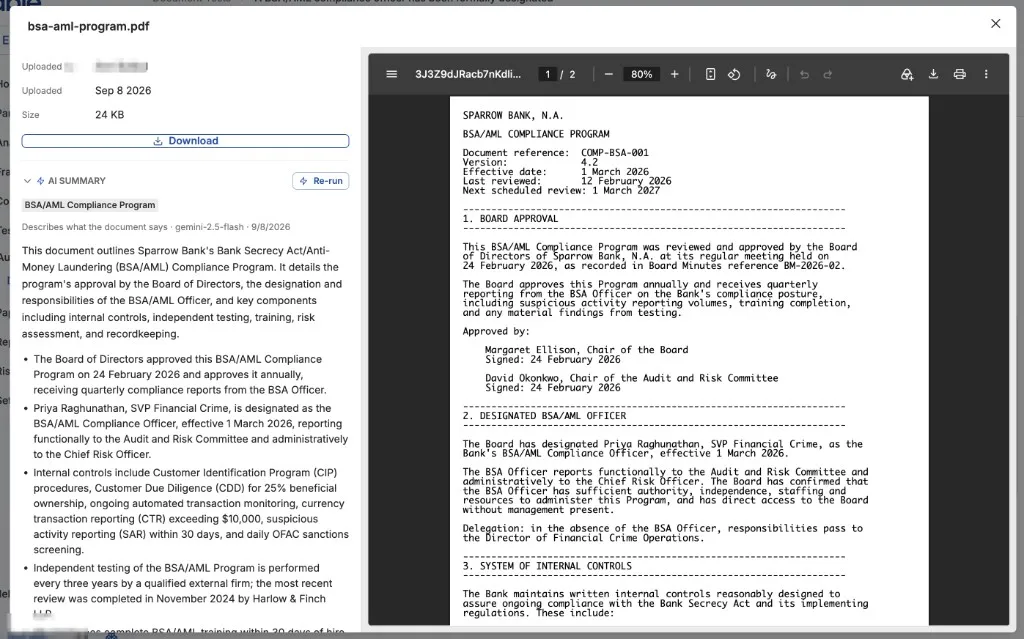
Summarizing requires only read access, so a reviewer who can view a test’s evidence but cannot edit the test can still use it.
AI describes your documents rather than judging them. A test’s status is derived from the evidence on file and its renewal date alone, never from a model’s opinion, so a status stays reproducible years after the fact.