

Analytics Overview
Monitor your compliance program health with real-time dashboards and metrics.
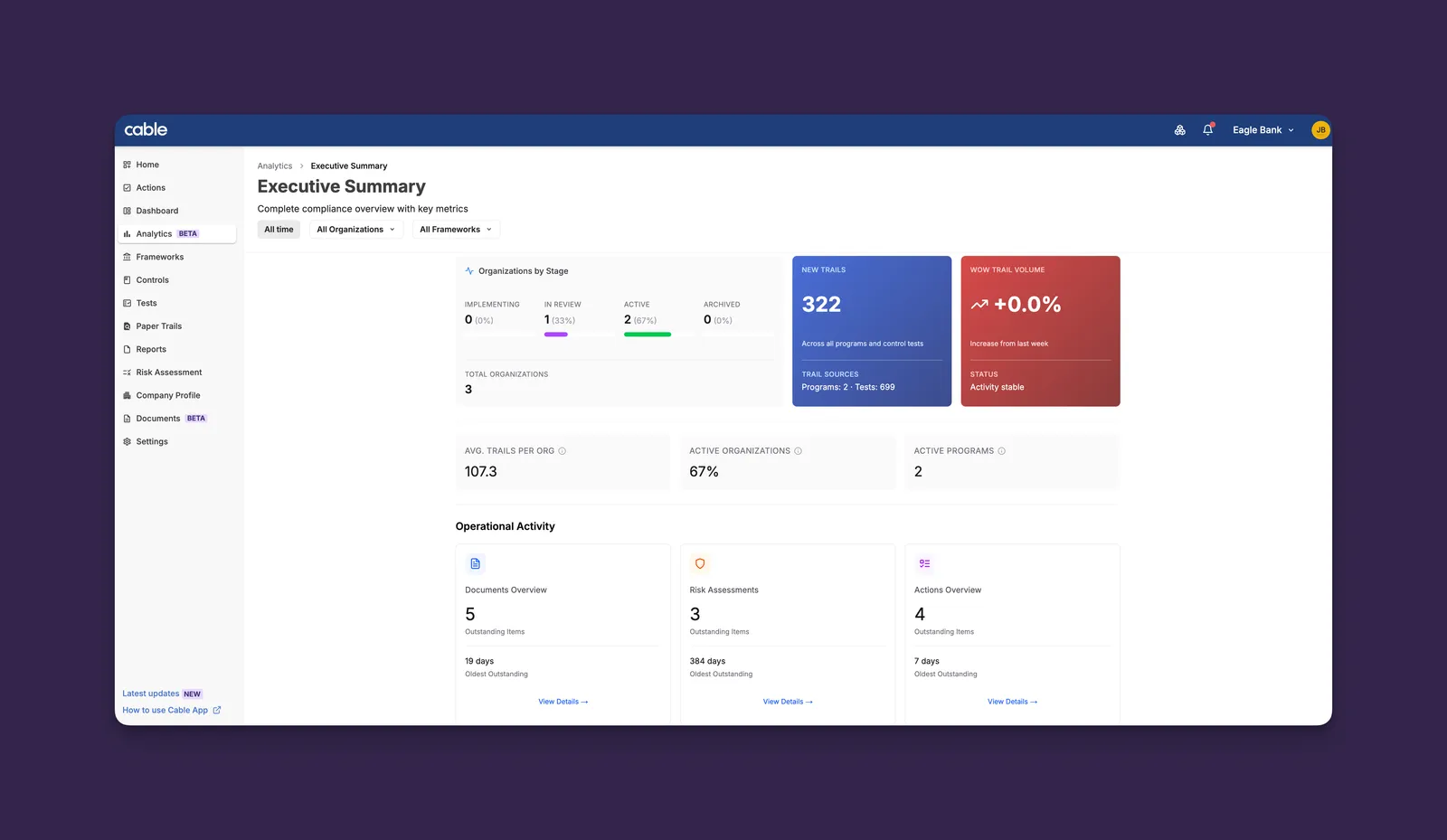
Analytics provides compliance leaders with visibility into program performance, status, and operational metrics across partner organizations and your own organization.
Analytics dashboards enable you to:
- Monitor onboarding progress - Track organizations moving through implementation stages
- Identify at-risk organizations - Quickly recognize increasing trail volumes or stalled work items
- Prepare reports - Pull metrics for leadership updates and board reports
- Track program trends - Understand changes in compliance activity over time
- Prioritize resources - Identify which operational areas need attention
Common Workflows
Weekly Program Review
- Navigate to Analytics > Executive Summary
- Review the WoW (Week-over-Week) Trail Volume for trend direction
- Check Organizations by Stage for any organizations stuck in Implementing
- Scan Operational Activity for overdue items
- Click through to specific areas requiring attention
Organization Health Check
- Navigate to Analytics > Executive Summary
- Select a specific organization from the organizations filter
- Review the organization’s trail volume and operational metrics
- Use the insights to prepare for your next check-in call
Board Reporting
- Navigate to Analytics > Executive Summary
- Ensure All Organizations is selected
- Capture the Organizations by Stage breakdown
- Note the Active Organizations percentage
- Document any concerning metrics for discussion
Filtering Your View
All dashboards support filtering by:
Filters persist across dashboards, making it easy to focus on specific segments of your program.
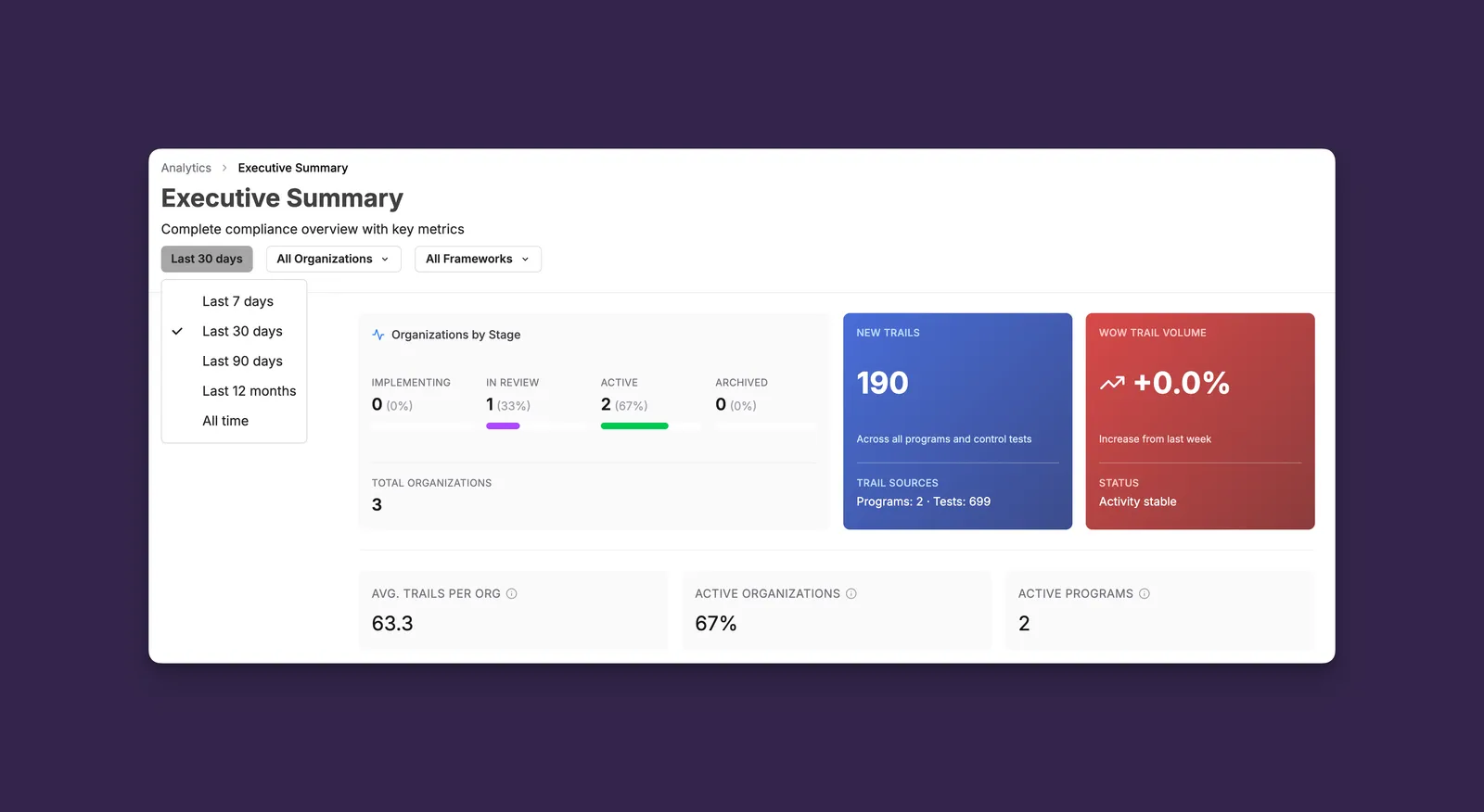
All metrics update automatically when filters change.
Get Started
Open the Executive Summary dashboard to see your program’s current health metrics and outstanding work items.