

Documents Overview
📍 You’re viewing the new Documents experience with document library, versioning, and bulk requests. If you’re looking for the previous Documents feature, see Documents (Legacy). The legacy version will be sunset in Q1 2026.
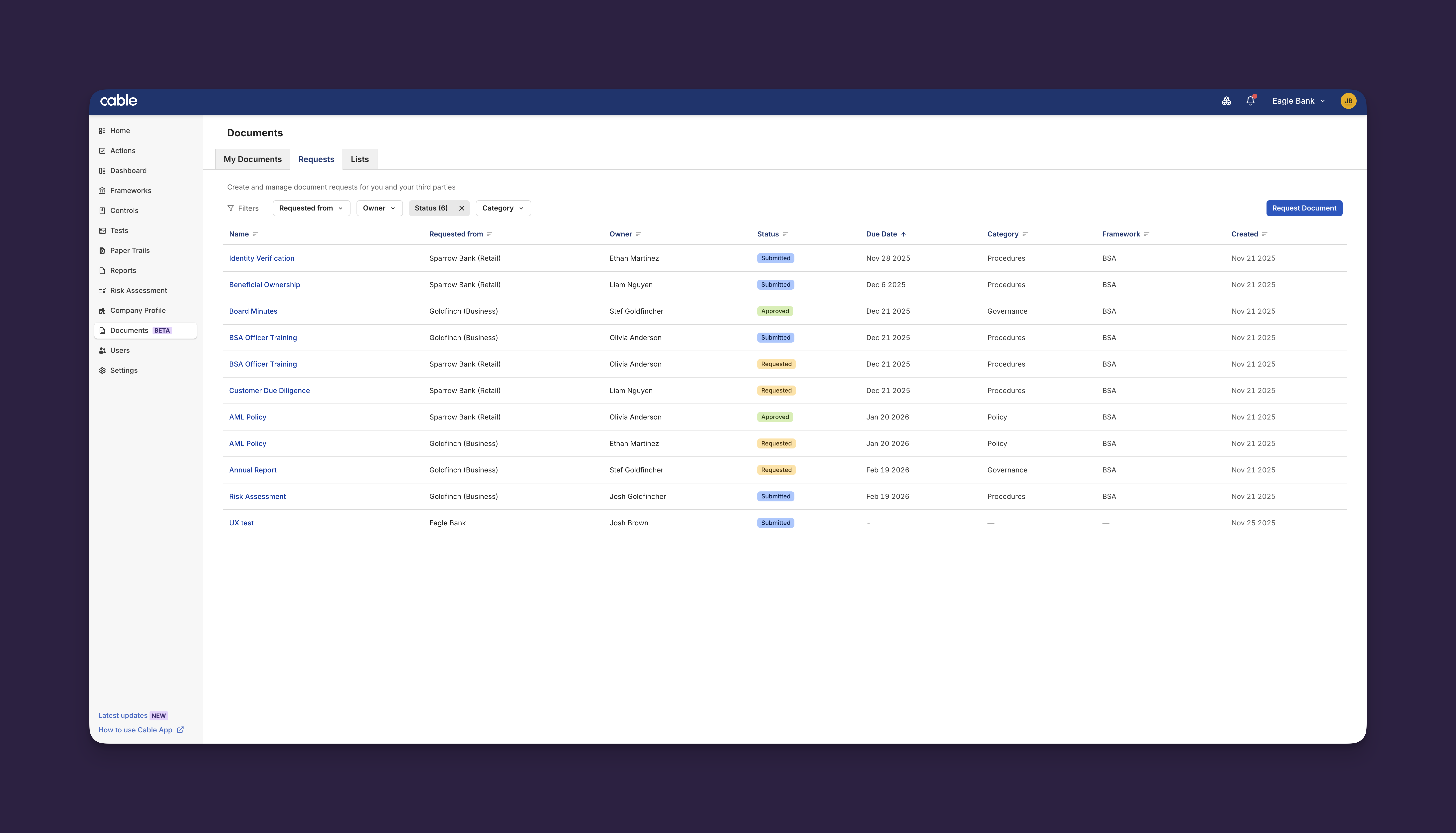
The Documents feature helps you:
- Organize your own documents - Store and manage compliance files with version history
- Request documents from partners - Create requests with deadlines and track status from submission to approval
- Manage at scale - Use document lists to request multiple documents from multiple partners at once
- Maintain compliance - Complete audit trails with version history, comments, and status tracking
Where to Start
- My Documents - Build and maintain your document collection with version history
- Requests - Create, respond to, and manage document requests between organizations
- Lists - Group templates and send bulk requests to multiple partners at once
- Migration - Transitioning from the legacy Documents feature
How to Use Documents
All Cable users can manage their own organization’s documents in My Documents and benefit from complete audit trails, version history, and streamlined collaboration in one place.
Documents can also be used differently depending on your organization’s role:
For Parent Organizations
As a parent organization (such as a financial institution managing fintech partners), use Documents to:
- Request compliance documents from your partners with ad-hoc requests or in bulk using Lists
- Review and approve submitted documents to ensure they meet your requirements
- Track status across your entire portfolio to see what’s outstanding or overdue
For Child Organizations
As a child organization (such as a partner or vendor), you use Documents to:
- Maintain your document library with policies, procedures, and certifications
- Respond to requests by attaching existing documents or uploading new ones
- Collaborate with your partners through comments and status updates
- Keep documents current with version management that automatically updates linked requests
Common Workflows
Quarterly Compliance Review
Parent organization workflow:
- Create a document list: “Q1 2025 Compliance Review”
- Add document requests to the list (policies, certifications, etc.)
- Select all partner organizations
- Click Request from Organizations
- Track completion in Documents → Requests tab
- Review and approve submissions as they arrive
- Requests in your list will auto-renew on the schedule you specify
Onboarding a New Partner
Parent organization workflow:
- Navigate to Documents → Lists
- Select a “Partner Onboarding” list you previously created
- Click Request from Organizations
- Select the new partner
- Partner receives all required document requests at once
- Track their progress in Documents → Requests
Responding to Multiple Requests
Child organization workflow:
- Build your document library proactively:
- Upload all current policies
- Upload certifications
- Upload governance documents
- When requests arrive, navigate to Documents → Requests
- For each request, click Attach from Library
- Select the appropriate document
- All requests fulfilled in minutes instead of hours