

Document Search
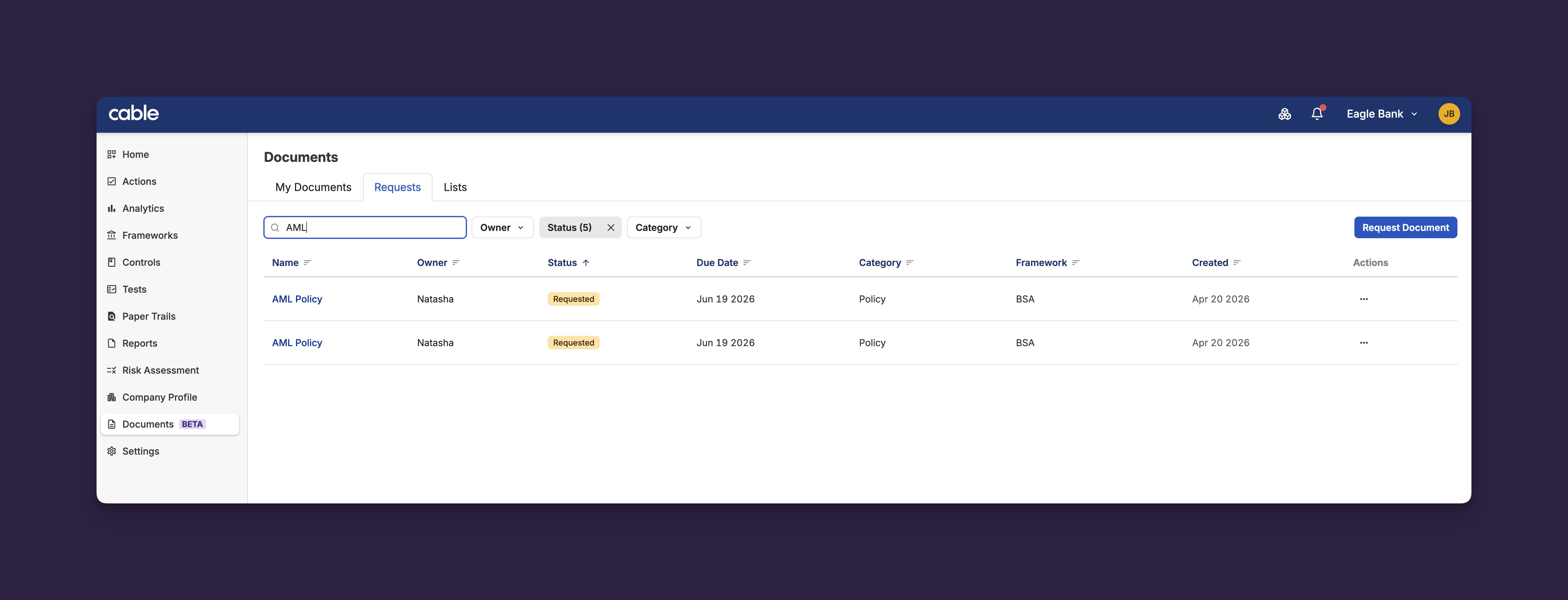
Cable Documents now includes search functionality across all document views, making it easy to find specific documents, requests, and lists by name.
Key Features:
-
Search by Name: Search across documents, document requests, and desired document lists with real-time results
-
URL-Persisted Search: Search terms are saved in the URL, allowing you to bookmark and share search results
-
Clear Integration: Search works seamlessly with existing filters and sorting options
This feature transforms document discovery from manual scrolling through lists to instant search-based access, particularly valuable for organizations managing large document libraries.
Faster Table Load Times
Document tables now use server-side filtering and pagination, dramatically improving performance for organizations with large document collections.
Key Features:
-
Instant Loading: Tables load immediately, even with thousands of documents
-
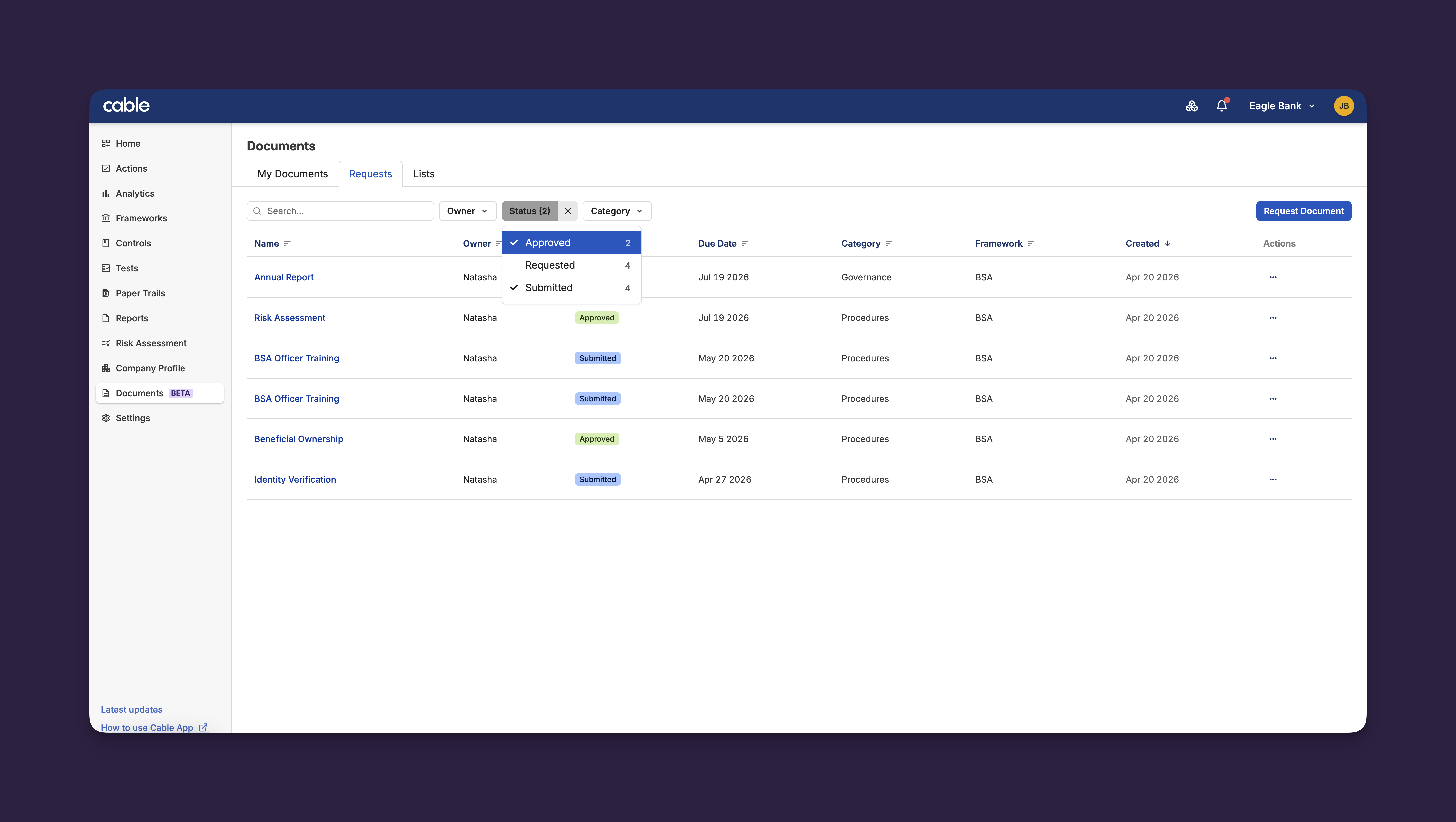
Smart Filtering: Filter by category, status, and owner without loading all documents into the browser
-
Faceted Search: See available filter options based on your current data, with counts for each option
-
Multi-Select Support: Select multiple filter values simultaneously for precise filtering
Organizations managing hundreds or thousands of documents will see significantly faster page loads and more responsive filtering, making document management more efficient at scale.
Document Version Archive
Document versions can now be archived, helping teams manage document lifecycle and maintain clean version histories.
Key Features:
-
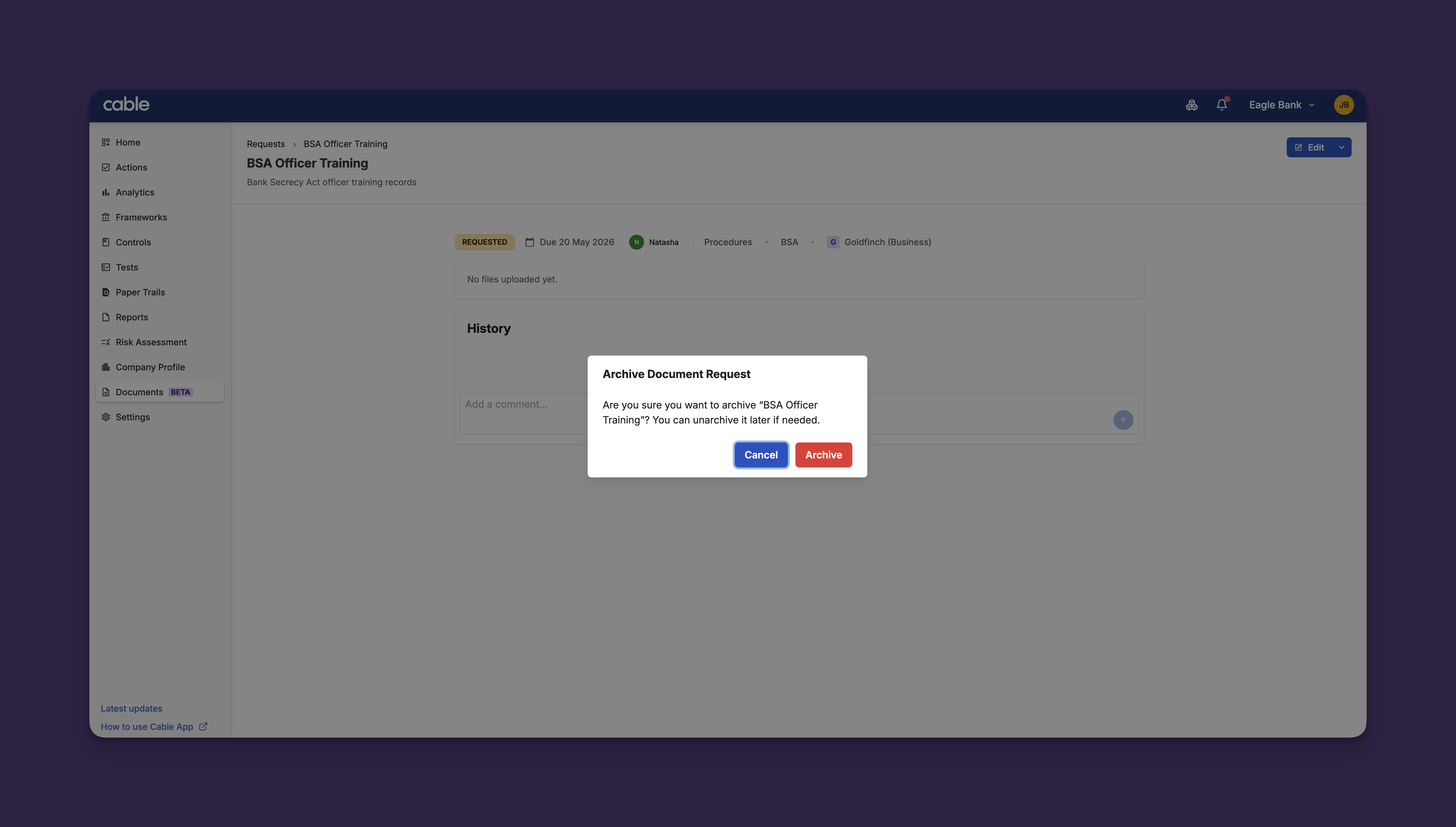
Archive Previous Versions: Archive outdated document versions while preserving them in the audit trail
-
Clear Archive Workflow: Dedicated archive modal with confirmation prompt prevents accidental archiving
-
Automatic File Cleanup: Associated files are properly handled during archiving to maintain storage efficiency
Archiving helps keep document libraries organized by hiding outdated versions from regular workflows while maintaining complete history for compliance auditing.
Analytics Dashboard Improvements
The Analytics Executive Dashboard now includes URL-based filter persistence and improved navigation to document details.
Key Features:
- Shareable Filter Links: Dashboard filters (organizations, frameworks, time period) are saved in the URL, allowing you to share specific views with colleagues
- Direct Navigation: Click “View details” on document metrics to navigate directly to the filtered document requests list
- Framework Filters: Select specific compliance frameworks to focus analytics on relevant programs
These improvements make it easier to collaborate on analytics insights and quickly drill down from high-level metrics to underlying document details.
Responsive Settings Layout
The Settings area now features a mobile-responsive layout that works seamlessly across all device sizes.
Key Features:
- Mobile-Optimized Navigation: Settings tabs stack vertically on mobile devices for easier access
- Desktop Sidebar: On larger screens, settings navigation displays as a sidebar for efficient browsing
- Consistent Experience: All settings functionality works identically across desktop, tablet, and mobile
This update ensures administrators can manage organization settings from any device, improving flexibility for on-the-go configuration changes.
Other Improvements
Additional enhancements to improve the user experience:
-
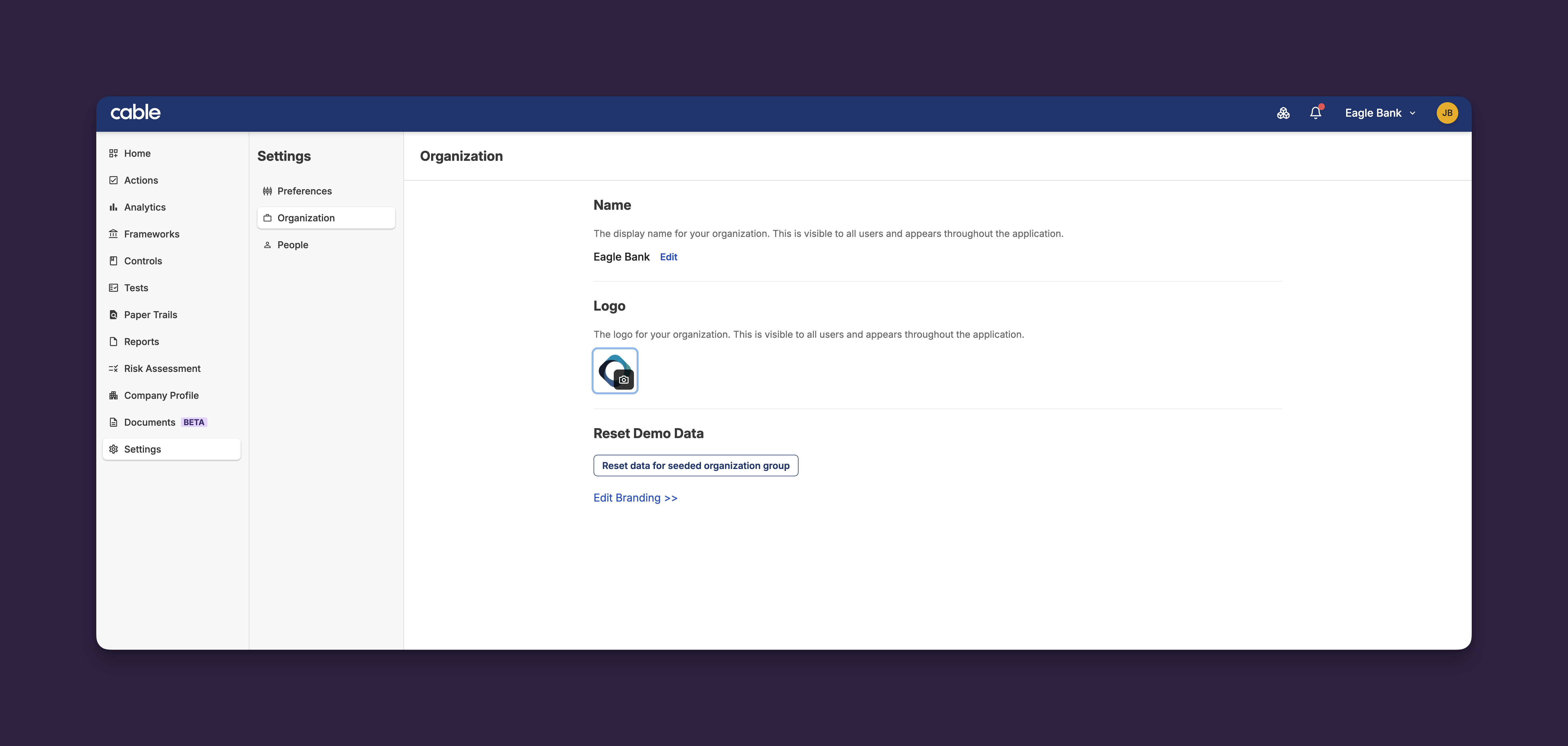
Logo Management: Upload and manage custom organization logos directly in Settings with drag-and-drop support and image preview
-
Filter Persistence: Document table filters now properly persist when navigating between pages
-
Empty State Improvements: Better guidance when document tables have no results
-
Due Date Display: Removed redundant “(Overdue)” text from document request due dates for streamlined UI