

Analytics Beta
Cable Analytics is now available in beta, providing executive-level insights into your compliance program performance. We can’t wait to hear your feedback! Please share your comments via Slack or Synctera support.
Key Features:
-
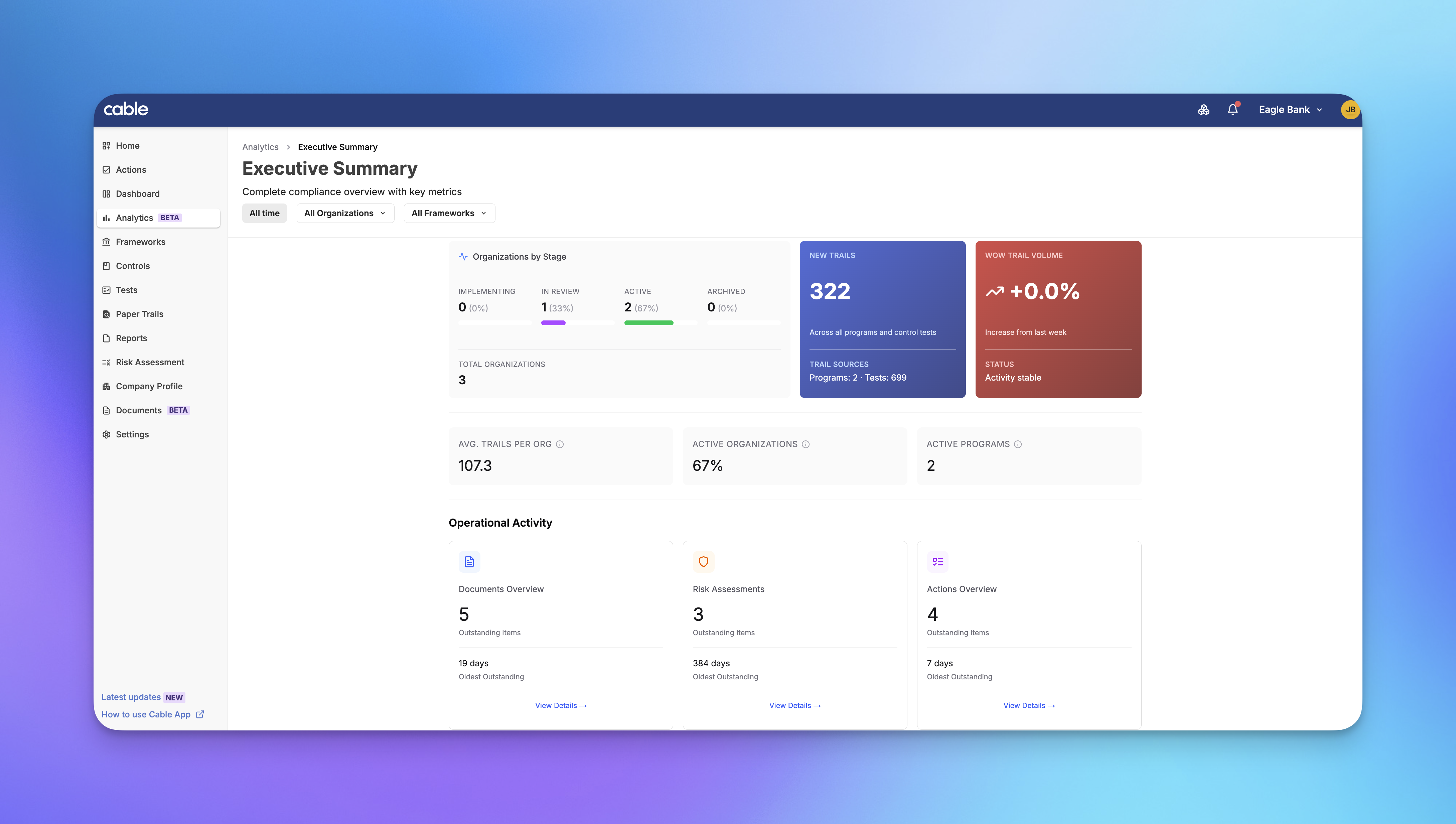
Executive Dashboard: High-level overview of compliance metrics and trends designed for leadership reporting, including test pass rates, open paper trails, and remediation timelines
-
Compliance Visualizations: Charts and graphs that answer key questions like “How are my controls performing over time?”, “Which programs have the most open issues?”, and “What’s our average time to remediation?”
-
Program-Level Insights: Drill down into specific compliance programs to understand performance by control, risk area, or time period
Analytics transforms raw compliance data into actionable insights, helping organizations demonstrate program effectiveness to auditors, identify bottlenecks in remediation workflows, and prioritize resources based on risk.
Comment Notifications
Building on our document comments feature, Cable now sends notifications when you’re mentioned in or receive replies to comments.
Key Features:
-
Mention Notifications: Get notified immediately when someone @mentions you in a comment
-
Reply Alerts: Stay informed when someone replies to your comments
-
Centralized Notification Feed: All comment notifications appear in your notification center
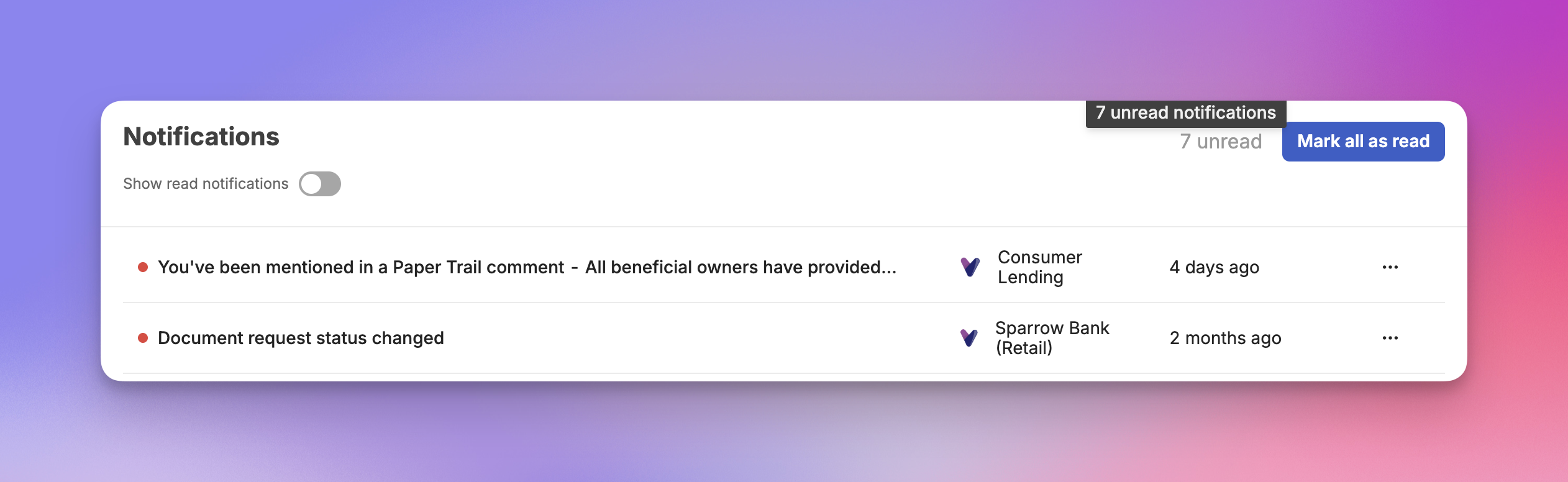
This ensures important conversations don’t get missed, enabling faster response times and more effective collaboration.
Automatic Document Expiration
Documents now automatically transition from Active to Expired status when their expiration date passes, keeping your library and requests accurate without manual intervention.
Key Features:
-
Automatic Status Updates: Documents transition to Expired status automatically on their expiration date
-
Expiration Date Display: View expiration dates directly on document detail pages
-
Status Badge Colors: Expired documents are clearly indicated with distinct visual styling
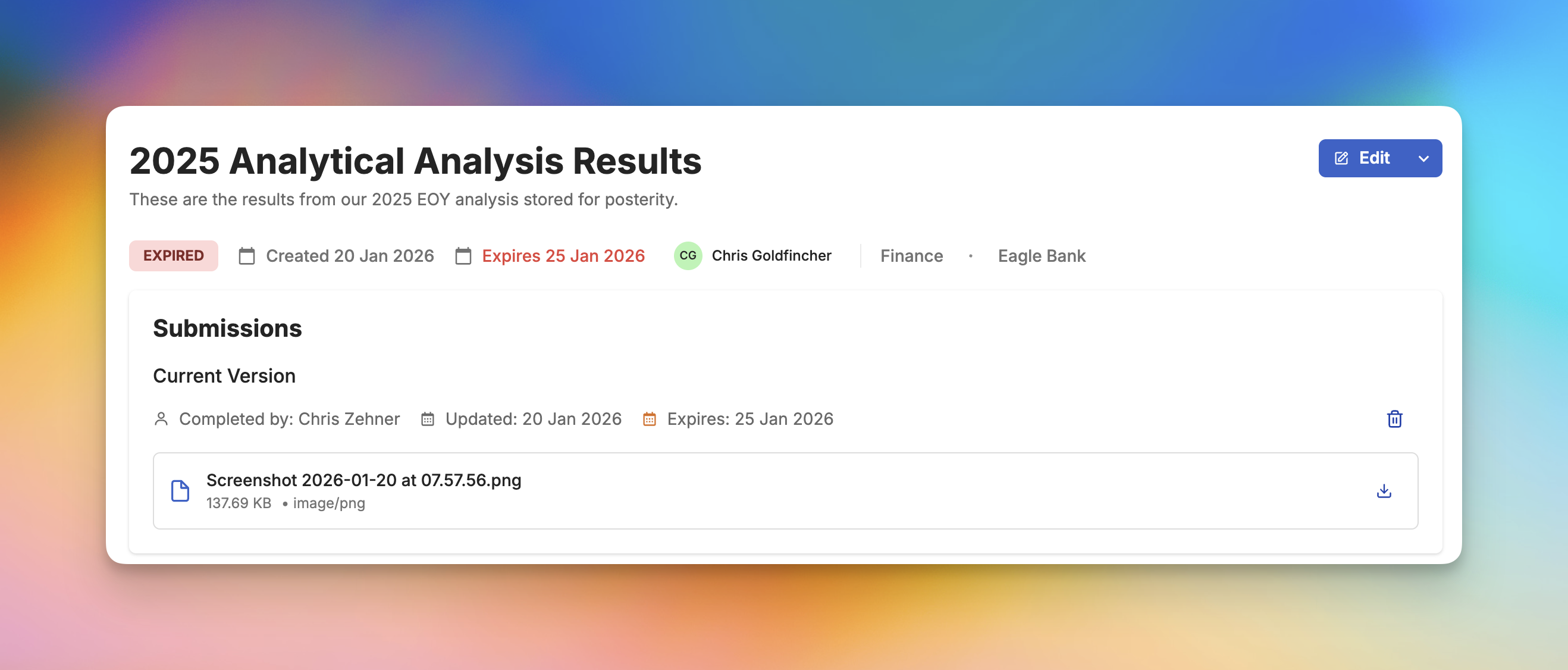
This automation reduces the manual overhead of tracking document validity and ensures your team always has an accurate view of current vs. expired documentation.
Settings Page Navigation
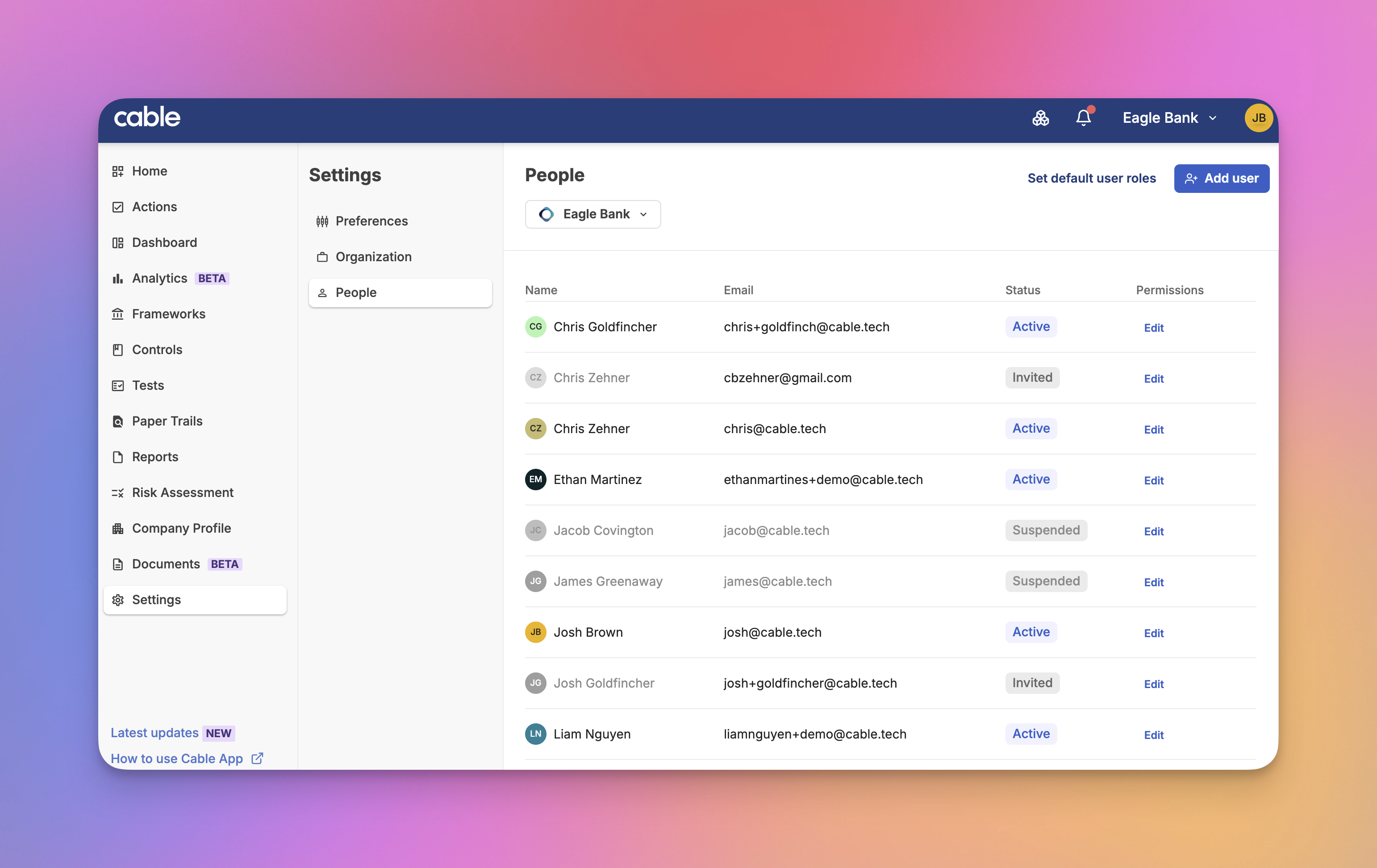
The Settings area now features an improved navigation hierarchy, making it easier to find and configure the options you need.
Key Features:
-
Sub-Navigation Structure: Settings are organized into logical groups with clear section headers
-
Improved Discoverability: Related settings are grouped together for easier access
-
Cleaner Layout: Reduced visual clutter makes navigation more intuitive
This update improves the administrative experience, particularly for organizations with complex configuration needs.
Document Management UX Improvements
Several usability improvements make document management more intuitive and efficient.
Key Features:
- Clearer Action Labels: “Link” and “Unlink” buttons renamed to “Add” and “Remove” for clarity
- Consistent Filter Order: Filter dropdowns now maintain consistent ordering across all document views
- Improved Archiving Flow: Updated modal prompts provide clearer guidance when archiving documents
- None Filter Option: Filter for documents with no category or owner assigned