

Documents Beta
Cable Documents is now available in beta, providing a centralized hub for managing compliance documentation across your organization.
To enable Documents for your organization, contact Synctera support. We can’t wait to hear your feedback! Please share your comments via Slack or Synctera support.
Key Features:
-
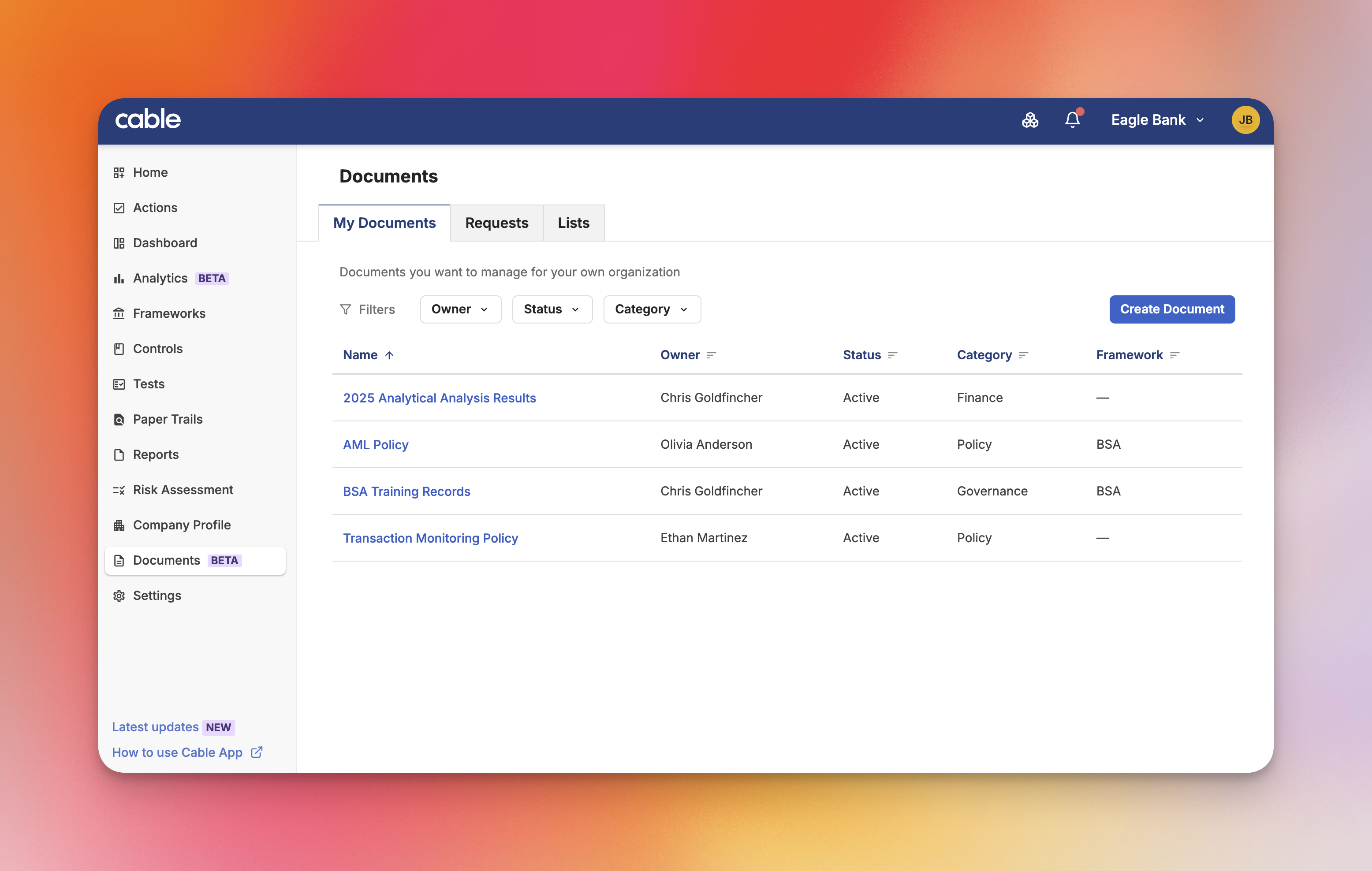
Document Library: Store and organize compliance documents with categories, owners, and expiration tracking
-
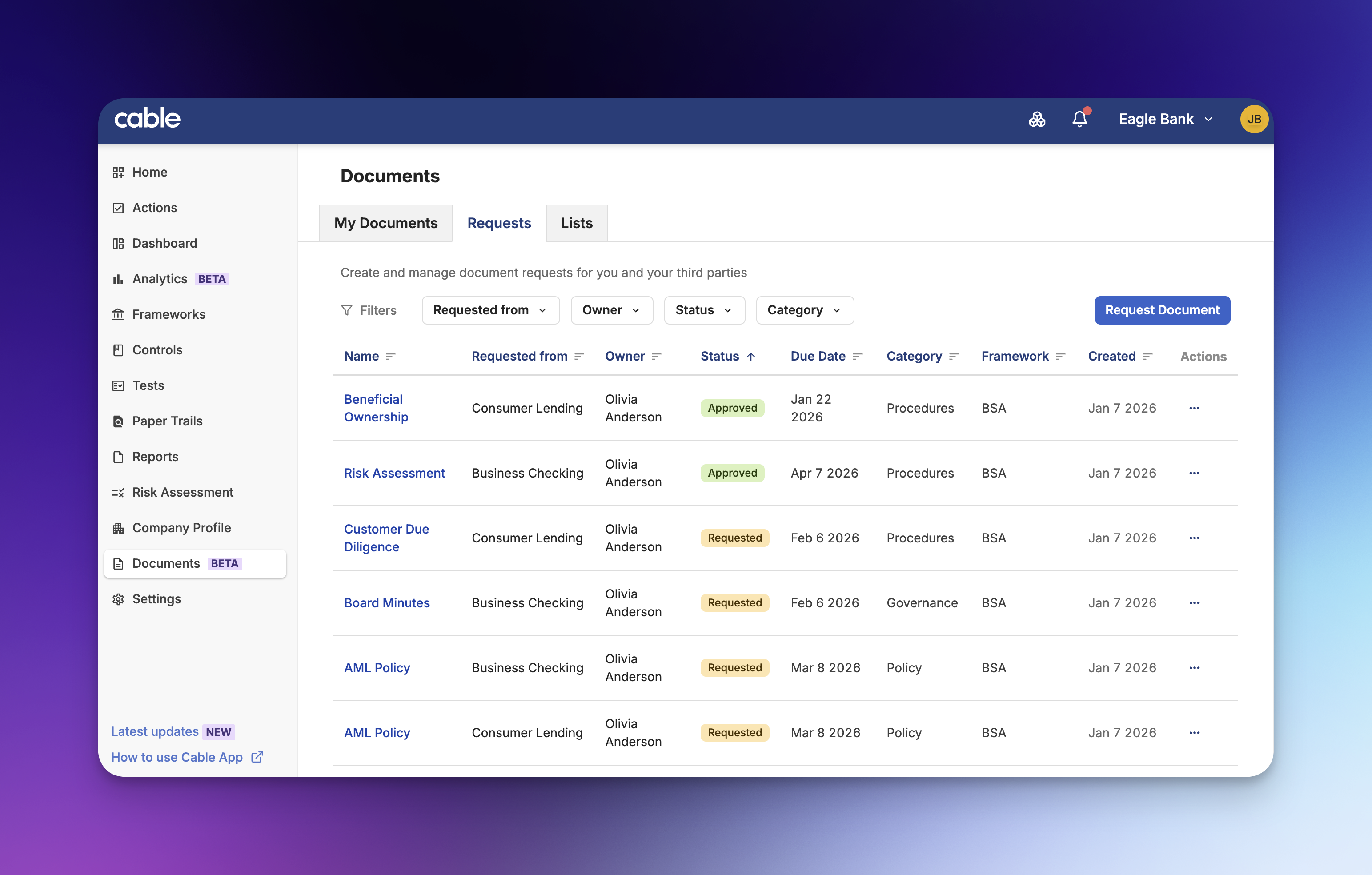
Document Requests: Create and track requests for required documentation with status workflows and SLA tracking
-
Document Lists: Group related documents together for easier management and distribution
-
Version Control: Upload new versions while maintaining full history of previous iterations
-
Organization Hierarchy Support: Parent organizations can access and manage documents across child organizations
Document Notifications
Cable now sends notifications for document-related events, keeping team members informed about changes to documents they care about.
Key Features:
- Document Change Tracking: Receive notifications when documents are created, updated, or have new versions uploaded
- Request Notifications: Stay informed when document requests are created or fulfilled
- Owner Change Alerts: Get notified when document ownership is transferred to you
This feature ensures compliance teams never miss important document updates, enabling faster response times and better collaboration across the organization.
Document Owner Assignment
Documents and document requests now support owner assignment, making it clear who is responsible for each item.
Key Features:
-
Owner Column: View document owners directly in list views for quick reference
-
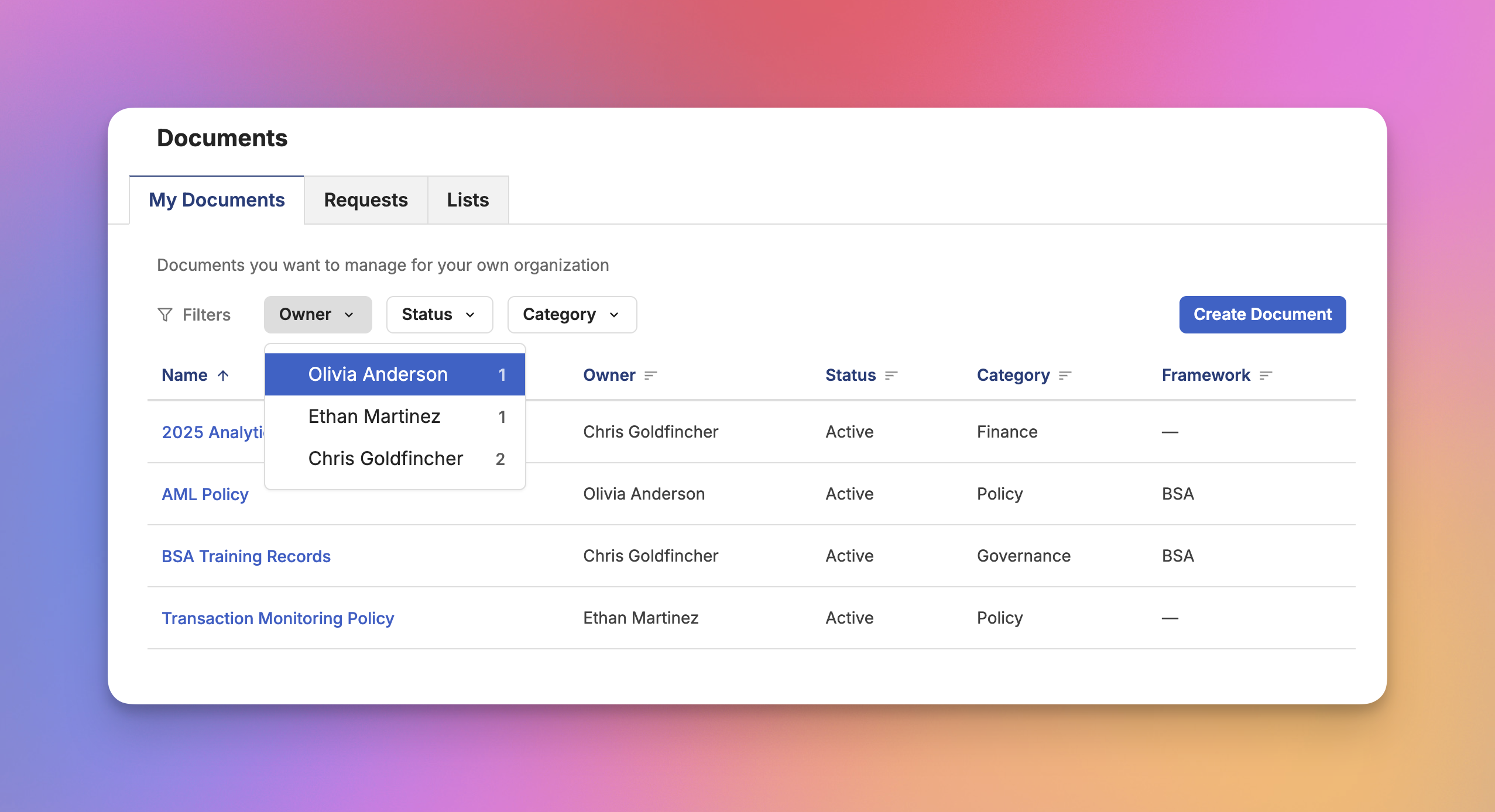
Filter by Owner: Filter documents and requests by owner, including a “None” option for unassigned items
-
Inline Owner Editing: Change document owners directly from the metadata row without navigating away
This enhancement improves accountability and makes it easier to distribute document management responsibilities across your team.
Bulk Document Import
Import multiple documents at once using Excel spreadsheets, dramatically reducing the time needed to populate your document request lists.
Key Features:
-
Excel Template Download: Download a pre-formatted template with the correct columns and validation rules
-
Schema-Driven Validation: Automatic validation ensures imported data meets your organization’s requirements
-
Deduplication: Built-in duplicate detection prevents accidental reimports
-
Preview Before Import: Review parsed data and fix errors before committing the import
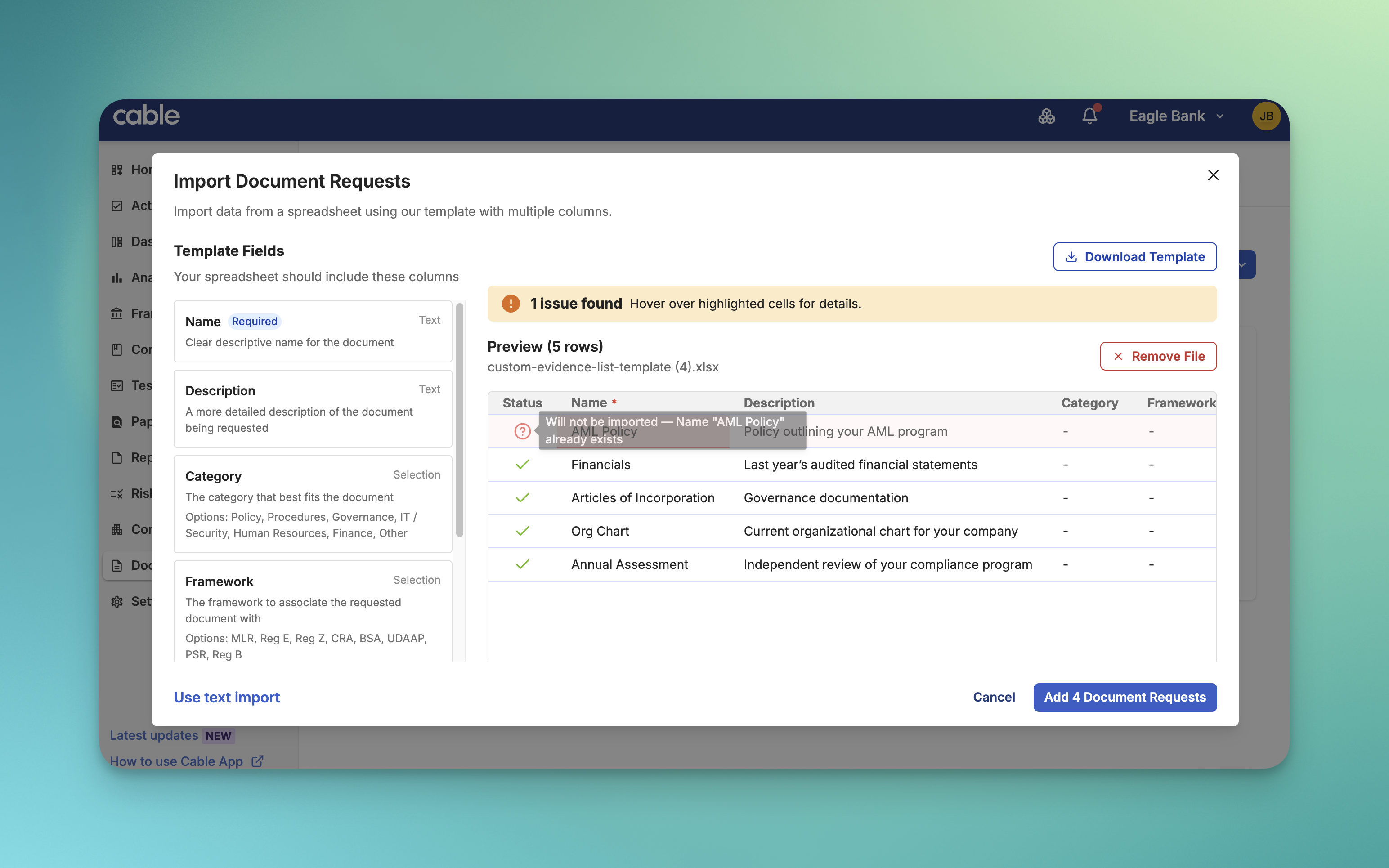
This capability transforms document request list setup from a manual, time-consuming process into a streamlined bulk operation.
Document Comments with Mentions
Add comments directly to documents and document requests, with support for mentions and threaded replies.
Key Features:
-
Inline Comments: Add comments directly in the document timeline without leaving the page
-
@Mentions: Tag team members in comments to bring items to their attention
-
Threaded Replies: Keep conversations organized with reply threads
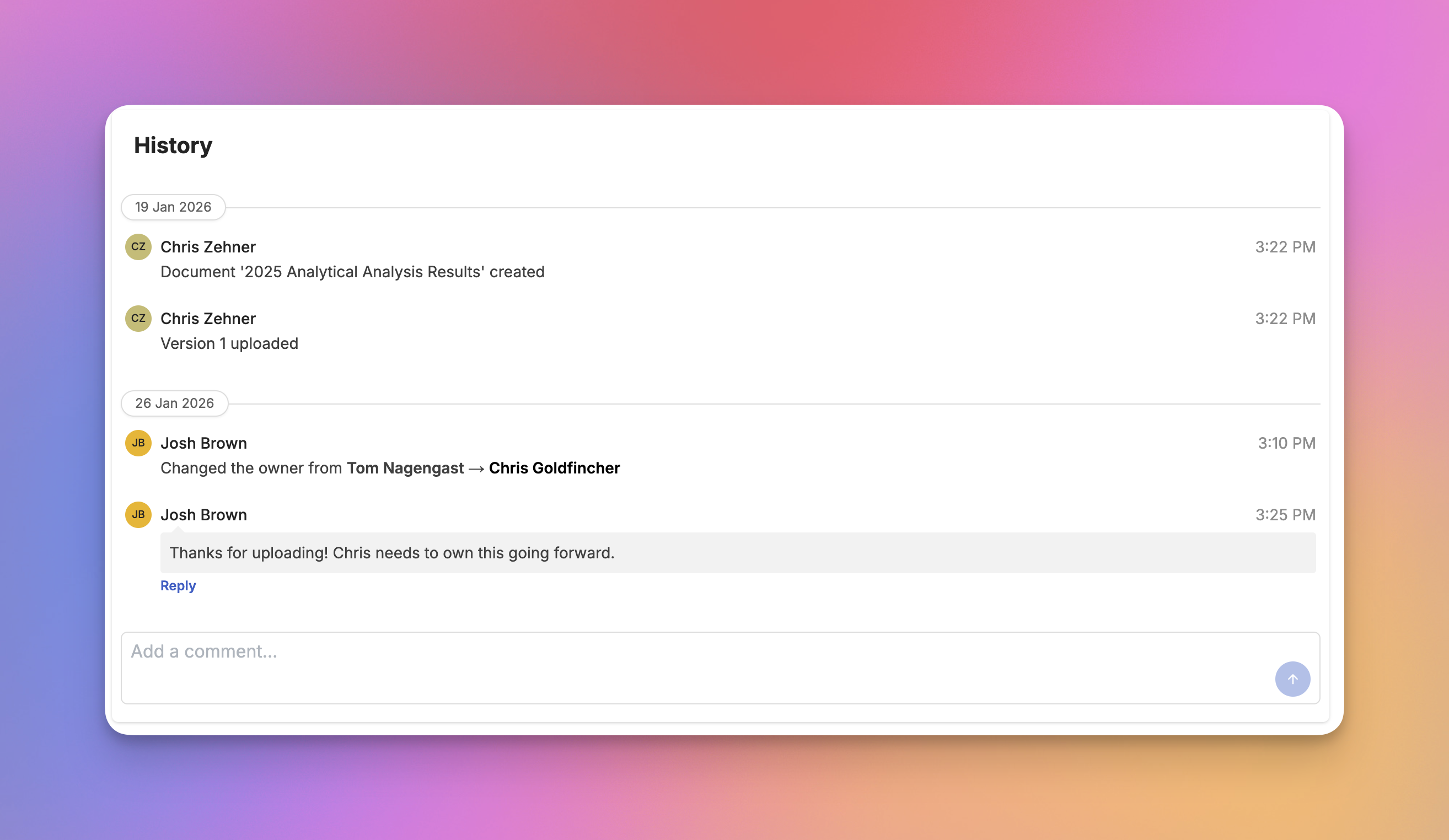
Document comments create a clear audit trail of discussions and decisions, keeping all context in one place rather than scattered across emails and chat messages.