

Workflows
Workflows are now available, enabling banks and fintechs to automate compliance sample testing and QA from day one, with no integration required. Upload files (e.g. .pdf, .csv, .png), build reusable multi-step tests, and get structured results - all without writing a single line of code.
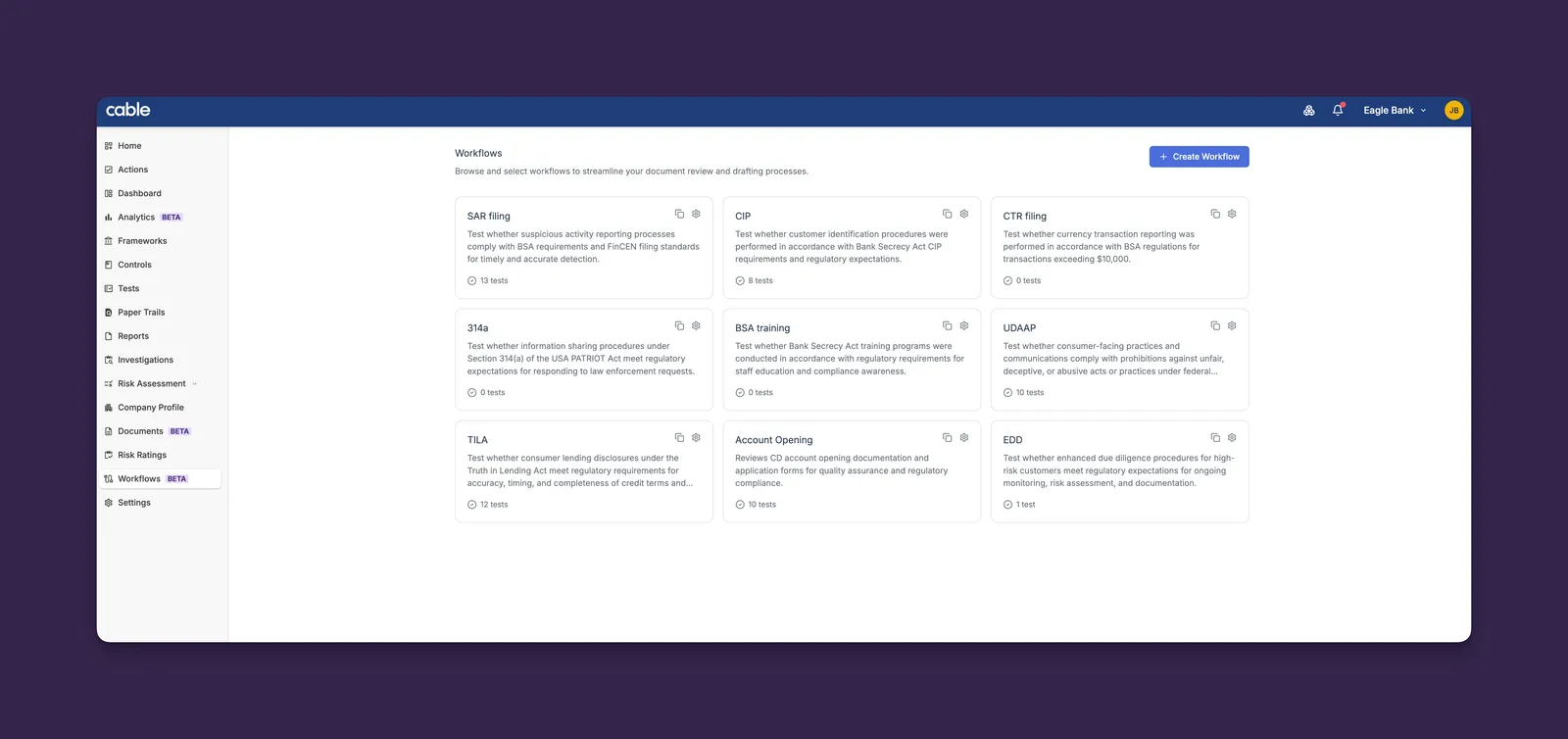
Key Features:
-
Generate Tests from Documents: Upload a QA checklist, a regulation or procedures and let Cable’s AI generate control tests automatically, eliminating the need to manually re-enter existing test specs
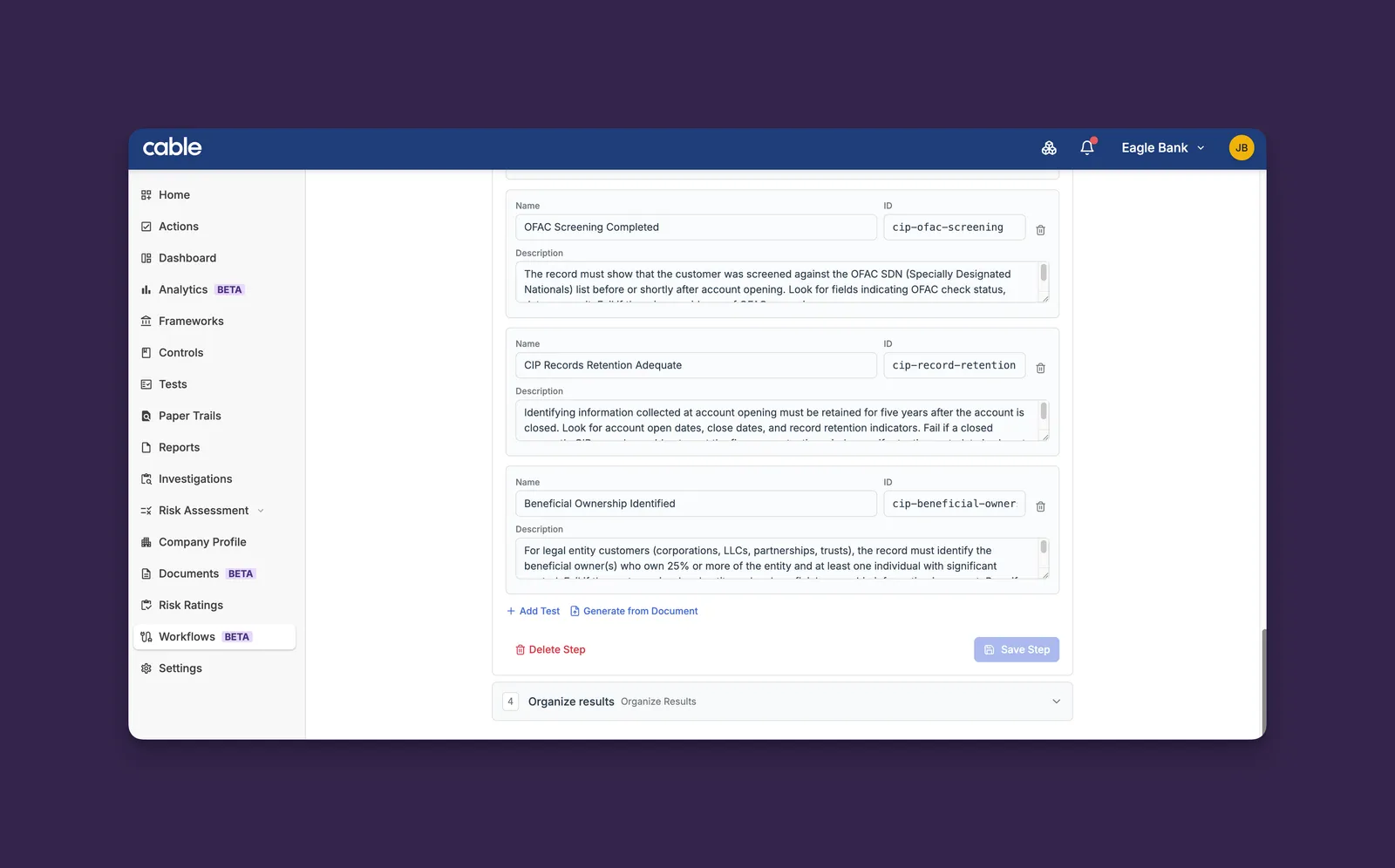
-
Clone Workflow: Duplicate an existing workflow — including all its test steps — with a single click. Useful for compliance teams managing similar workflows across multiple programs
-
Drag-and-Drop Uploads: Drop files directly onto the workflow run zone without clicking through a file picker
-
Run Results: View structured pass/flag results with analysis reasons for each test, and export results as CSV
Workflows are available for limited Beta to organizations with the feature enabled. Contact Synctera support to get access.
Subjects Dashboard
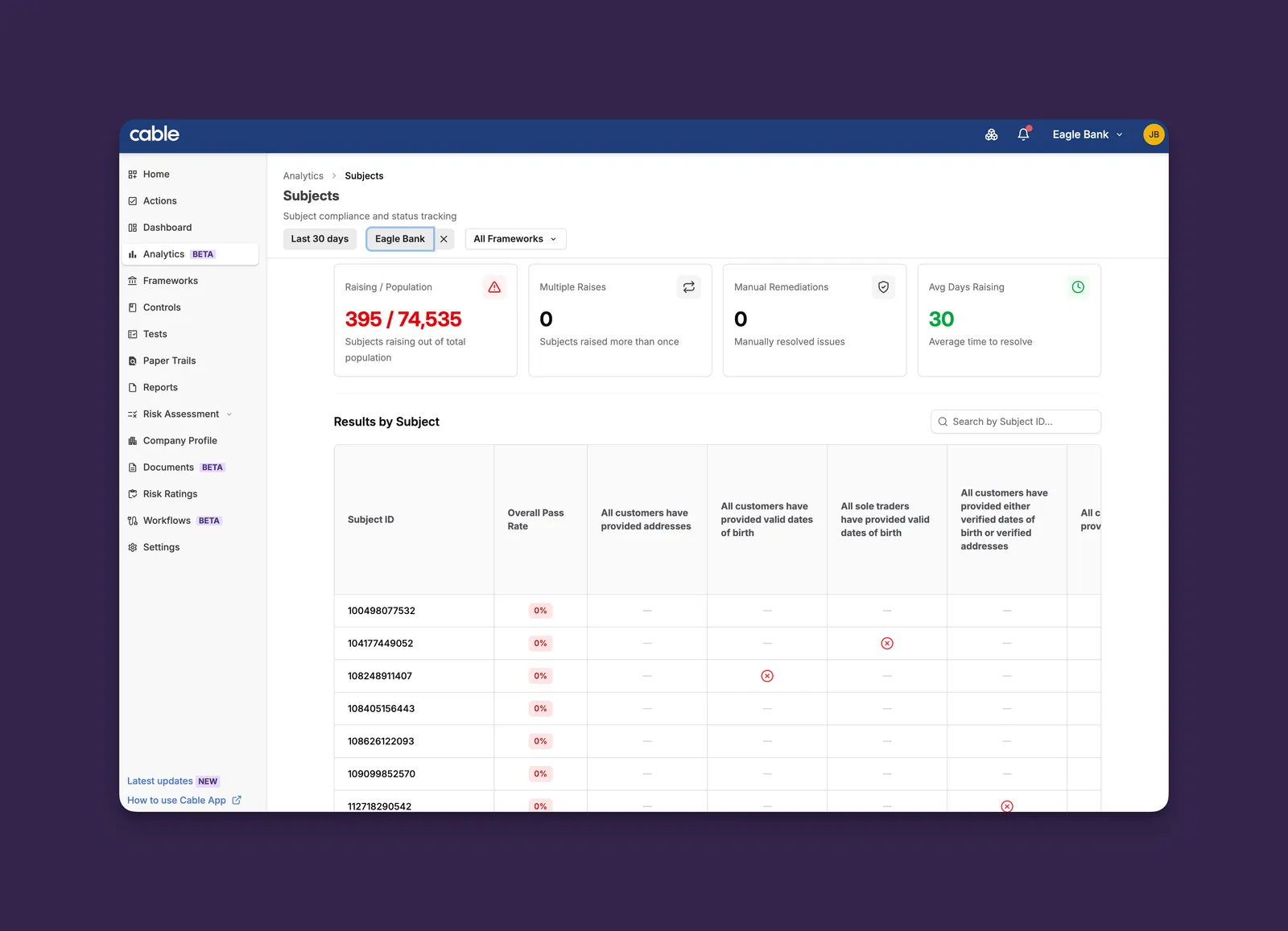
The new Subjects Dashboard in Analytics provides visibility into subject-level test results, recurring issues, and remediation patterns across your compliance program.
Key Features:
-
Results by Subject: A matrix view showing pass/raise/N/A results across all tests for each subject, with search and pagination for large populations
-
Repeat Raiser Detection: Identify subjects that have been raised on multiple trails, with distribution charts showing how many times subjects have been flagged
-
Summary Metrics: At-a-glance cards for total subjects tested, average pass rate, manual remediations, and average days raising
-
Subject Links: Click through directly to subject details in your source system via configurable link templates
This dashboard helps compliance teams spot patterns in subject-level failures and prioritize remediation efforts based on repeat offender data.
QA Dashboard
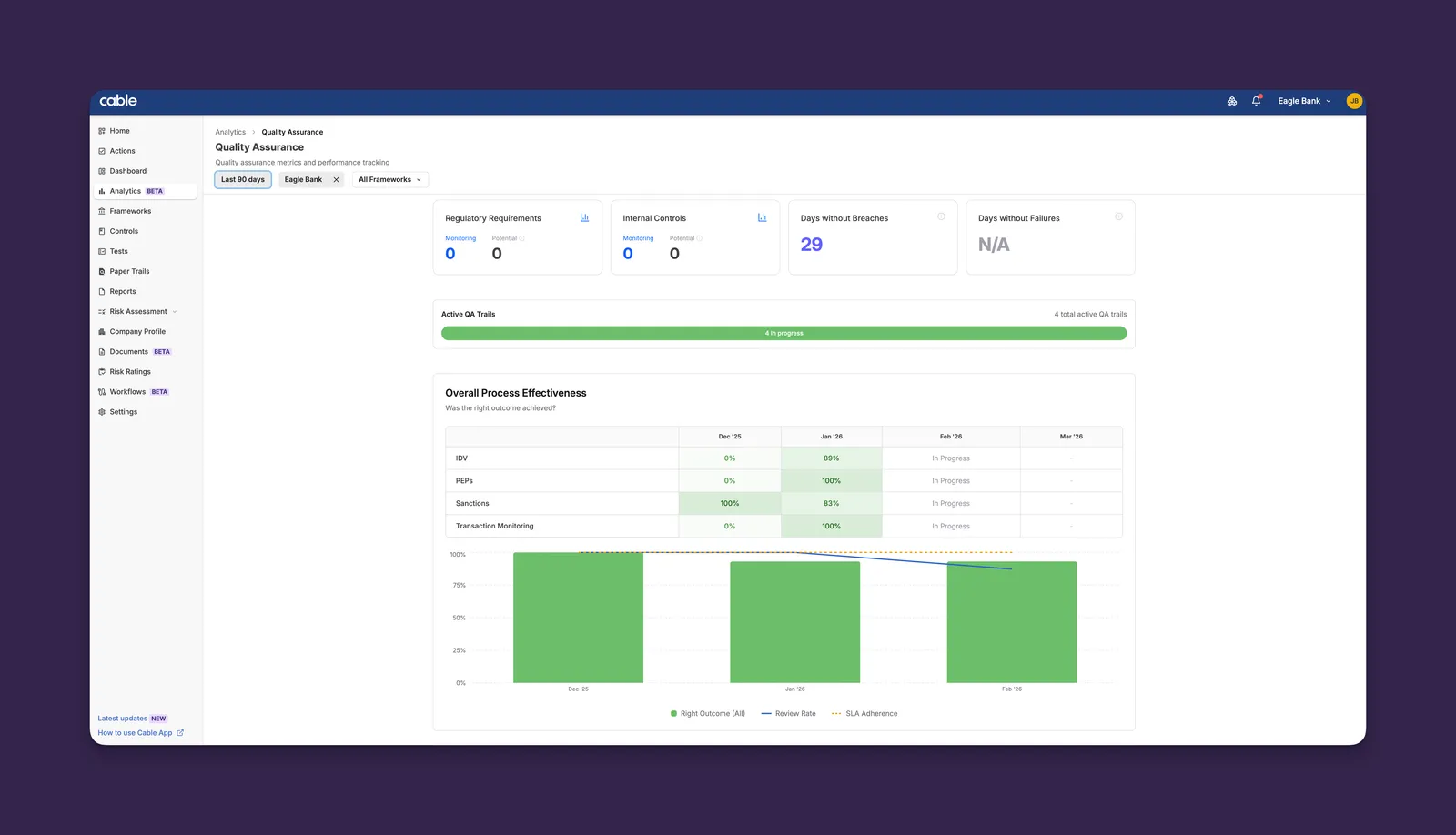
The QA Dashboard brings quality assurance analytics into the unified Analytics section, replacing the legacy dashboard with richer insights and drill-down capabilities.
Key Features:
-
Process Effectiveness: Area-by-month heatmap showing right outcome rates, review rates, and SLA adherence with color-coded cells for quick visual assessment
-
Active QA Trails: Segmented bar visualization showing New, In Progress, and Overdue trail counts at a glance
-
Per-Area Drill-Downs: Expand any compliance area to see check-level tables and trend charts for granular performance analysis
-
Summary Metrics: Regulatory requirements, internal controls, and streak tracking for days without breaches or failures
Both dashboards benefit from pre-computed analytics tables that deliver results faster than before, ensuring a responsive experience even for organizations with millions of test results.
Document Carried Files
When renewing a document version, files from the previous version are now automatically carried forward into the new version form.
Key Features:
- Automatic File Carry-Forward: Previous version files appear pre-populated in the renewal form with a “Current” badge, saving time on version creation
- Mix and Match: Add new files alongside carried files, or remove carried files you no longer need
- Carried-Only Support: Submit a renewal with only the carried files if no new uploads are needed
This streamlines document renewals for teams that frequently update versions while retaining the same supporting files.
Other Improvements
- Document Version History: Archiving a document version now records a history event in the audit trail for complete lifecycle tracking
- Avatar Fix: Resolved a visual artifact that caused a square shadow to appear behind circular user avatars
- Organization Column: The tests table now correctly displays the organization column for parent organizations with a single child
- Test Result Terminology: Test results now consistently use “flag” instead of “fail” to better reflect compliance review language